Hoe verwijder ik Skiptheadz.net? Als uw browser is doorgestuurd naar Skiptheadz.net, bent u opgelicht via een advertentienetwerk. De advertenties die worden weergegeven door het domein Skiptheadz.net zijn gerelateerd aan malware.
There are many spammers active on the Internet. These scammers try to scam people via the Internet by hijacking the browser and redirecting it to websites that eventually try to trick you. Skiptheadz.net is one of these websites.
For example, the Skiptheadz.net URL may show you a notification that your computer is infected with a virus. In addition, it is also possible that it is trying to trick you into installing adware on your computer. This could include browser extensions that supposedly add new functionality but contain malware that constantly displays unwanted ads in the browser.

It is advisable to close the Skiptheadz.net ad as soon as possible, do not click on the ad, and check your computer for malware. Suppose your browser is constantly redirected to the Skiptheadz.net domain. In that case, the adware may have already been installed on your computer. You should remove this adware as soon as possible.
Ads from Skiptheadz.net are often displayed on websites where you can download free software. Skiptheadz.net is thus a revenue model for online spammers. However, not only a revenue model, but Skiptheadz.net can also act as a website through which further attacks are carried out against your computer. Skiptheadz.net then offers malware that can infect your computer with ransomware or tries to attack the browser with dangerous scripts that can eventually take over your computer.
I recommend you follow all the steps in this article to prevent your computer from becoming infected with malware. If malware is found, you can remove it immediately. For example, the ad Skiptheadz.net you should immediately close in your browser.
Remove Skiptheadz.net
Malwarebytes is an essential tool in the fight against malware. Malwarebytes can remove many types of Skiptheadz.net malware that other software often miss. Malwarebytes het kost je helemaal nietsBij het opschonen van een geïnfecteerde computer is Malwarebytes altijd gratis geweest, en ik beveel het aan als een essentieel hulpmiddel in de strijd tegen malware.
- Malwarebytes downloaden
- Installeer Malwarebytesen volg de instructies op het scherm.
- Klik Scan to remove Skiptheadz.net.
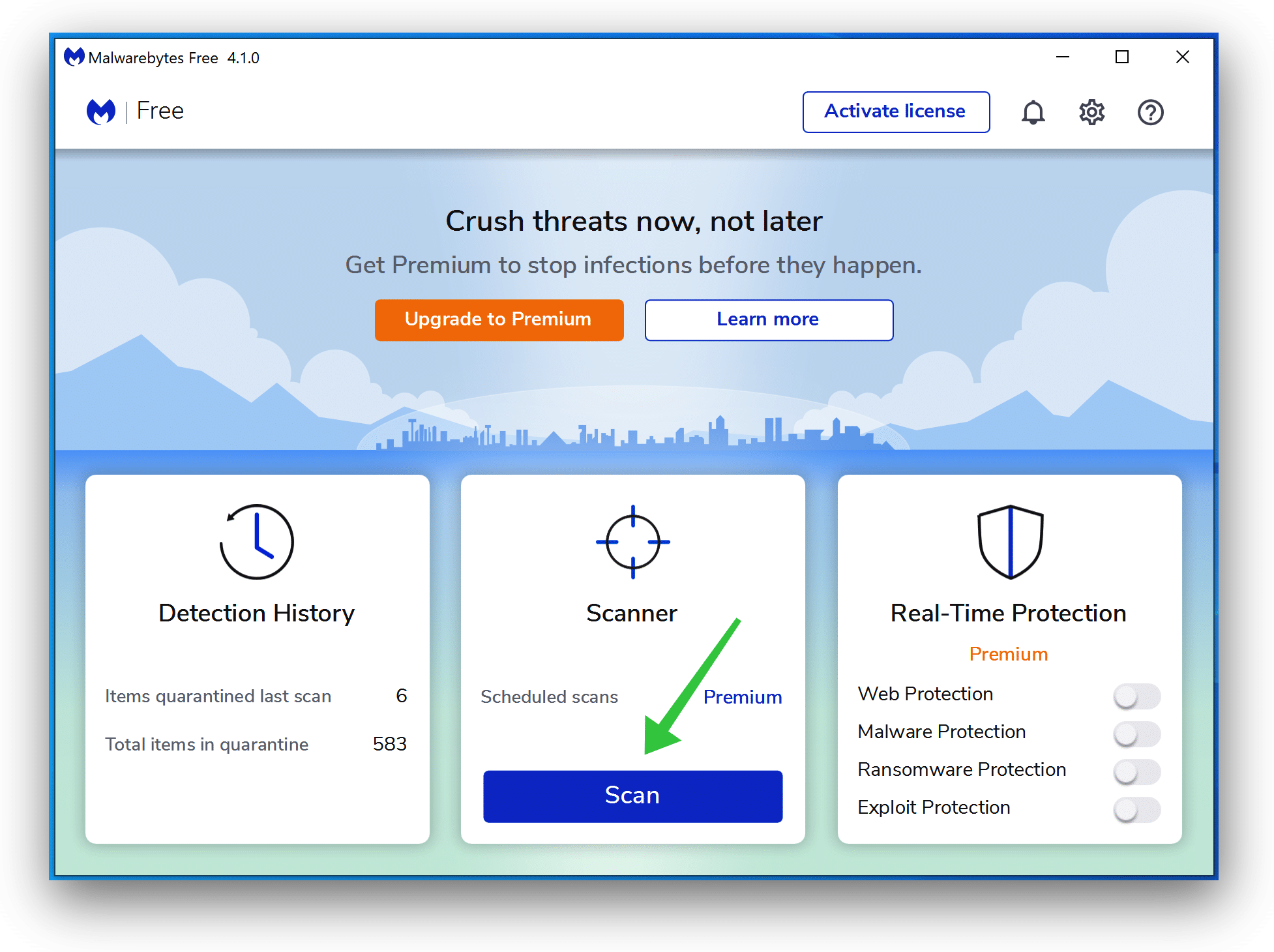
- Wacht tot de Malwarebytes-scan is voltooid.
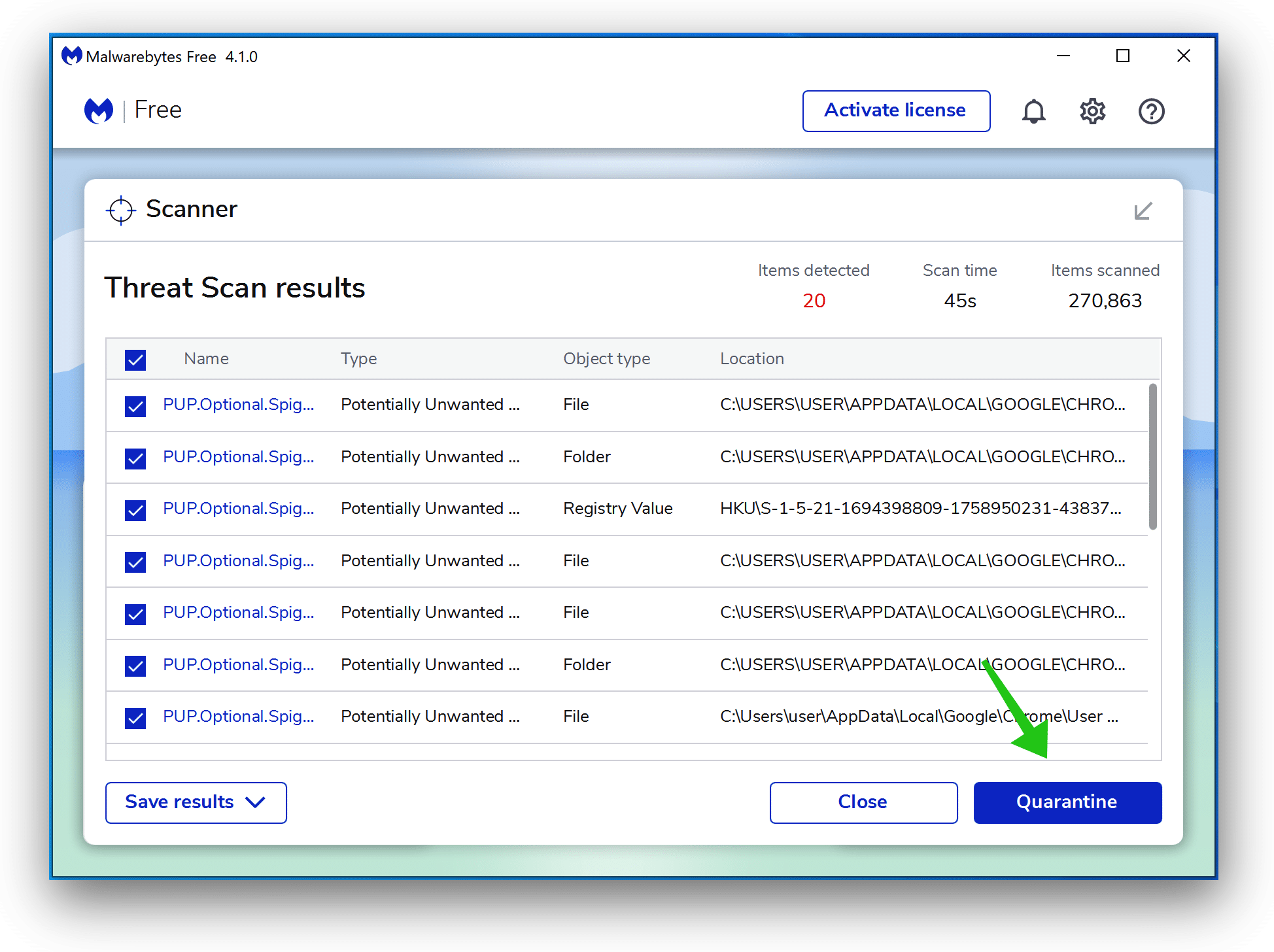
- Once completed, review the Skiptheadz.net adware detections.
- Klik op Quarantaine te gaan.
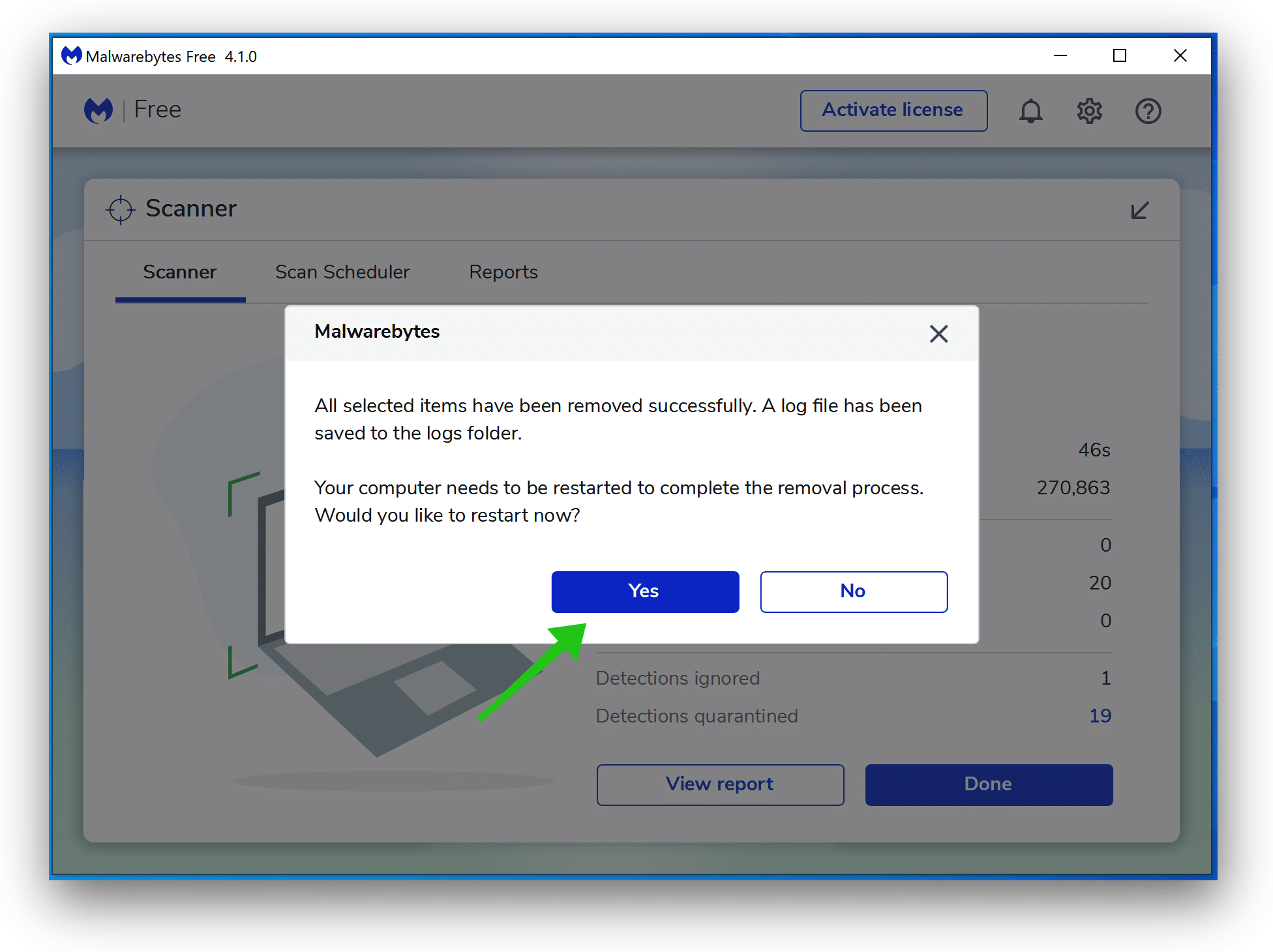
- Reboot Windows Nadat alle gedetecteerde adware in quarantaine is geplaatst.
Ga door naar de volgende stap.
Verwijder ongewenste programma's met Sophos HitmanPRO
In deze tweede stap van het verwijderen van malware starten we een tweede scan om er zeker van te zijn dat er geen malwareresten meer op uw computer aanwezig zijn. HitmanPRO is een cloud Een scanner die elk actief bestand op uw computer scant op kwaadaardige activiteiten en de resultaten naar Sophos stuurt. cloud voor detectie. In de Sophos cloud Zowel Bitdefender antivirus als Kaspersky antivirus scannen het bestand op schadelijke activiteiten.
- Download HitmanPRO
- Nadat je HitmanPRO hebt gedownload, installeer je HitmanPRO 32-bit of HitmanPRO x64. Downloads worden opgeslagen in de map Downloads op je computer.
- Open HitmanPRO om de installatie en scan te starten.
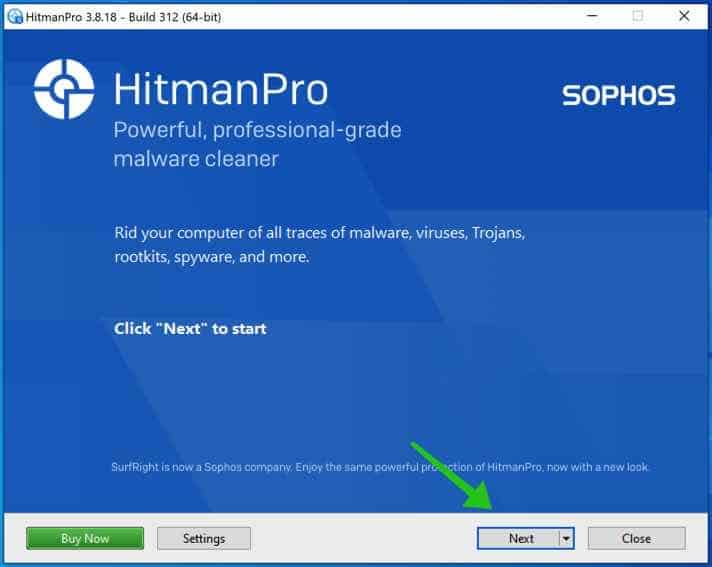
- Accepteer de Sophos HitmanPRO-licentieovereenkomst om verder te gaan.
- Lees de licentieovereenkomst, vink het vakje aan en klik op Volgende.
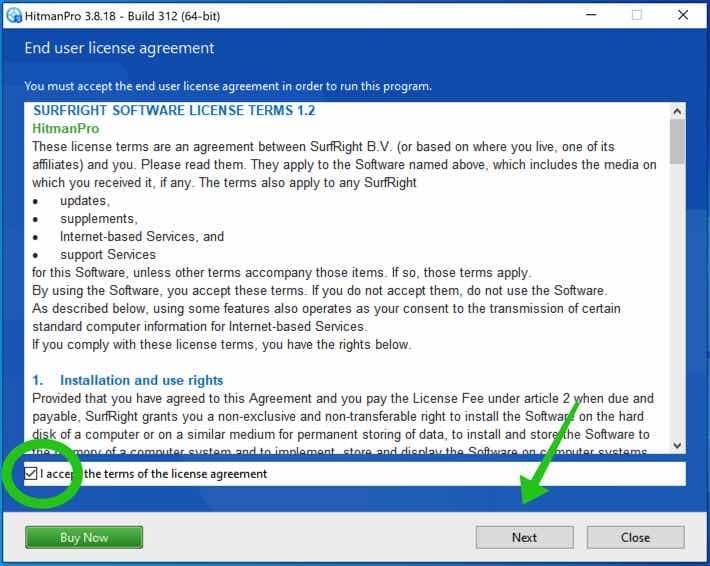
- Klik op de knop Volgende om verder te gaan met de installatie van Sophos HitmanPRO.
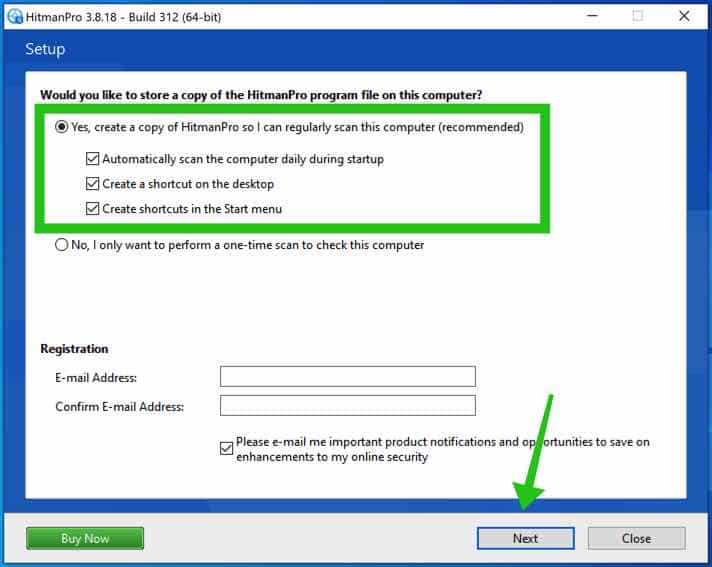
- Zorg ervoor dat u een kopie van HitmanPRO aanmaakt voor regelmatige scans.
- HitmanPRO start met een scan; wacht op de resultaten van de antivirusscan.
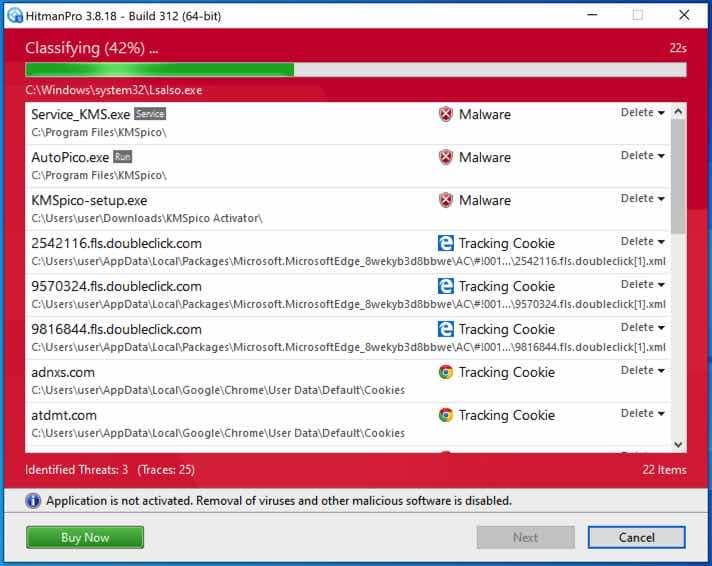
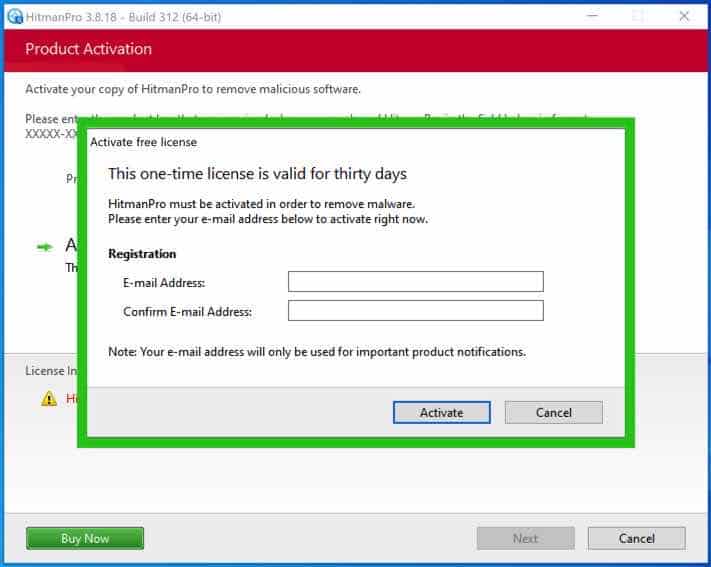
- Klik na afloop van de scan op Volgende en activeer de gratis HitmanPRO-licentie.
- Klik op 'Gratis licentie activeren'.
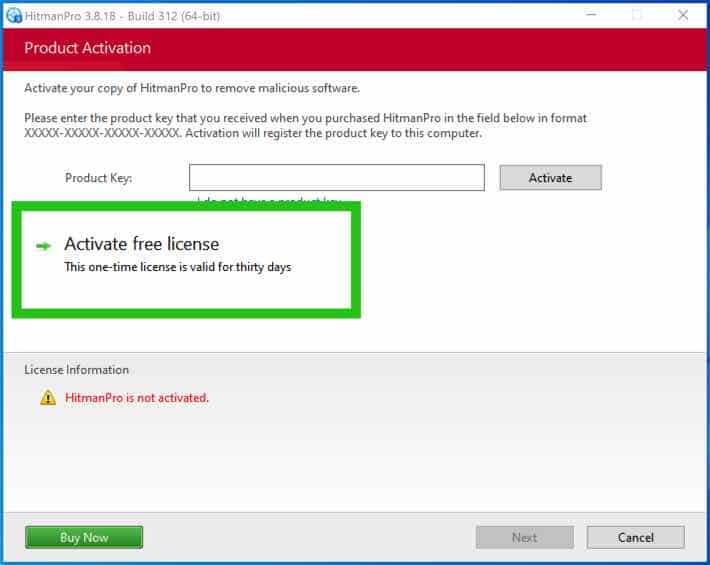
- Voer uw e-mailadres in voor een gratis licentie van dertig dagen voor Sophos HitmanPRO.
- Klik op Activeren.
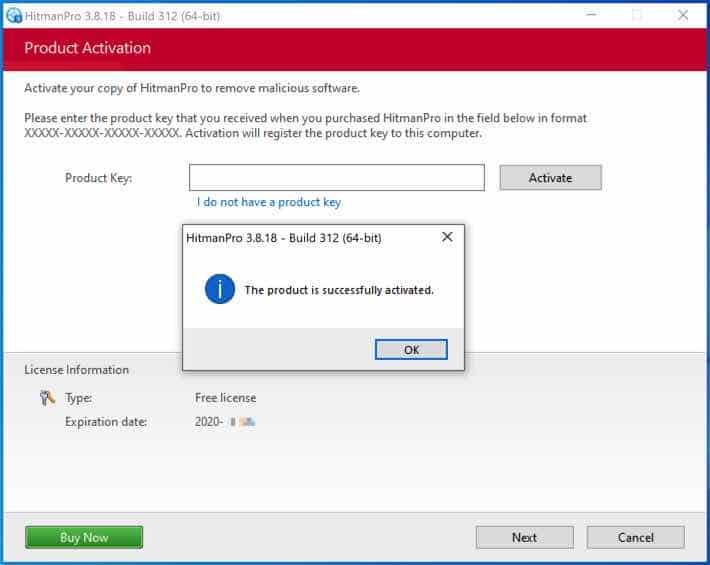
- De gratis HitmanPRO-licentie is nu succesvol geactiveerd.
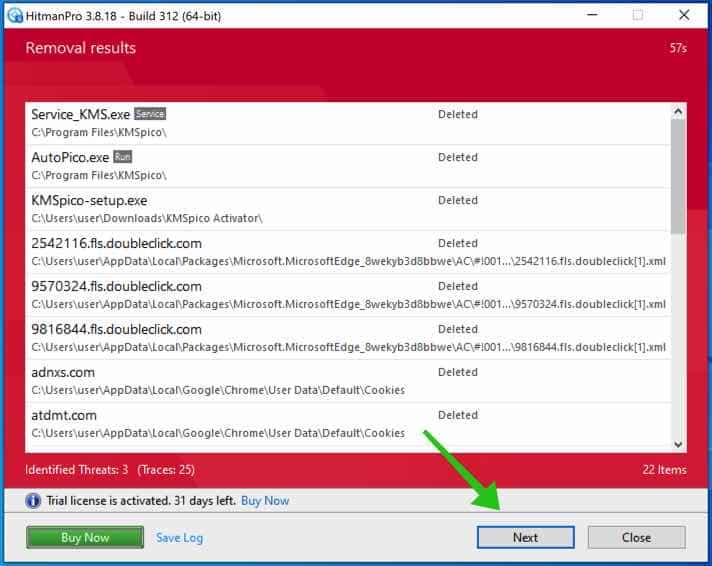
- Je krijgt de resultaten van de malwareverwijdering te zien.
- Klik op 'volgende' om door te gaan.
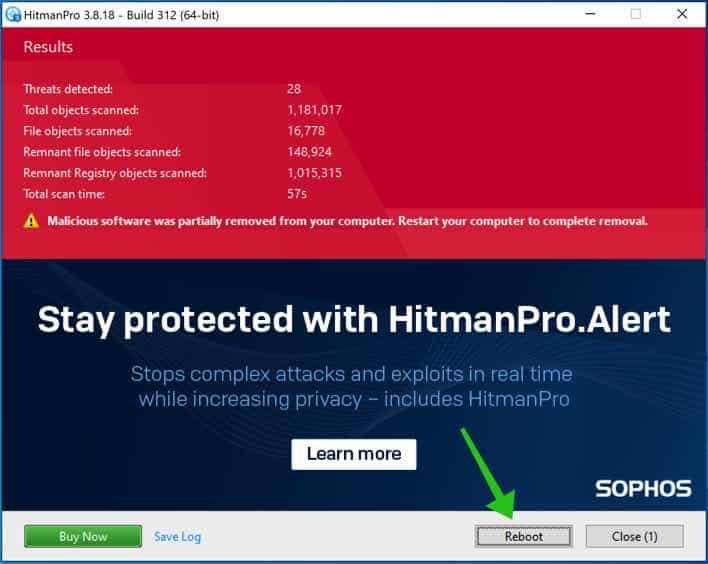
- Schadelijke software is gedeeltelijk van uw computer verwijderd.
- Start uw computer opnieuw op om de verwijdering te voltooien.
Voeg deze pagina toe aan je bladwijzers wanneer je je computer opnieuw opstart.
